Kick It In the Guts
Surprising How Often A Reboot Solves Computer Problems
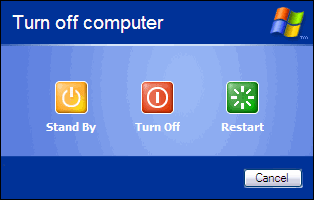 I often get calls from colleagues, friends, and family saying "my computer wont work!" Depending on my mood I might say "what do you mean it doesn't work" but my first answer is usually "turn it off and turn it on and then see if it works. Ring me back if it doesn't". Occasionally they will ring back to tell me that fixed it, usually they don't because it has fixed it and they are busy doing whatever it is they were trying to do.
I haven't kept statistics but it sure feels like nine out of ten times this works. If it doesn't, another half the time turning it off and on a second time, after its restarted but before you do anything else, will sort the problem.
Do you care why this works?
There are all sorts of things going on while a computer is running, many, many different processes doing all sorts of different things. Sometimes under particular combinations of circumstances, they conflict with each other, one thing jams up another thing, neither will give up and neither is stronger than the other so it just grinds to a halt.
Turning the computer off and on stops everything and starts things up again. Often whatever was conflicting no longer does, because the exact same set of circumstances doesn't reoccur and all is well. Windows software also runs a few "tidying up" routines during a proper shutdown which is why doing a proper shutdown the second time might fix it.
If you are in the middle of something that you've spent a long time working on and you really want to save it you can try waiting, and waiting and waiting, it might eventually resolve itself a minute, hour or week later. Personally I don't have the patience for that palava and save stuff regularly so I reboot quite regularly!
If the computer wont turn off "properly" you can hold down the power button until it does (sometimes may take five seconds or longer) if that doesn't work pull the power plug out! You've probably been told to never do that, occassionally it will stuff up your system but at least you can then fix it, or get it fixed and if the alternative is waiting ....
A better alternative is to try and stop the application and/or process concerned in Task Manager, and then reboot (oops sorry turn it off and turn it on). This is often a good solution, but if you know about that you probably aren't reading this.
If you just can't get your laptop to turn off (because when you unplug it from the wall the batterty takes over) take the battery out. If you can't, look for a reset switch. Often a wee hole in the back you can poke a paper clip through to push a very well hidden button will force a restart.
Sometime pushing the power button doesn't turn the conputer off at all but puts it into "Standby" or "Hibernate" mode. That isn't what you want. You want to make sure it has turned completely off and on. You can tell if it comes back on exactly where it was, it hasn't turned off but resumed from one of those modes.
My colleagues, friends and family will tell you I'm lying in this article and I sort of am. I actually usually say "reboot it" and in my first draft, that is what I wrote - "reboot it". That's OK for the computer savvy but if you don't know how or what "reboot " is it doesn't really help you. For your information when a computer is first turned on it goes through a process called the "boot", (Look it up on Wikipedia if you want to know why). So reboot means "make it boot again" or turn it off and turn it on.
Works with lots of other electrical devices too, probably because so many things have computers in them these days.
- Last updated on .